Most of what we read never turns into notes. And when it does, the notes tend to be a copy of the original with a few lines bolded: the same length, the same order, and no easier to review a week later.
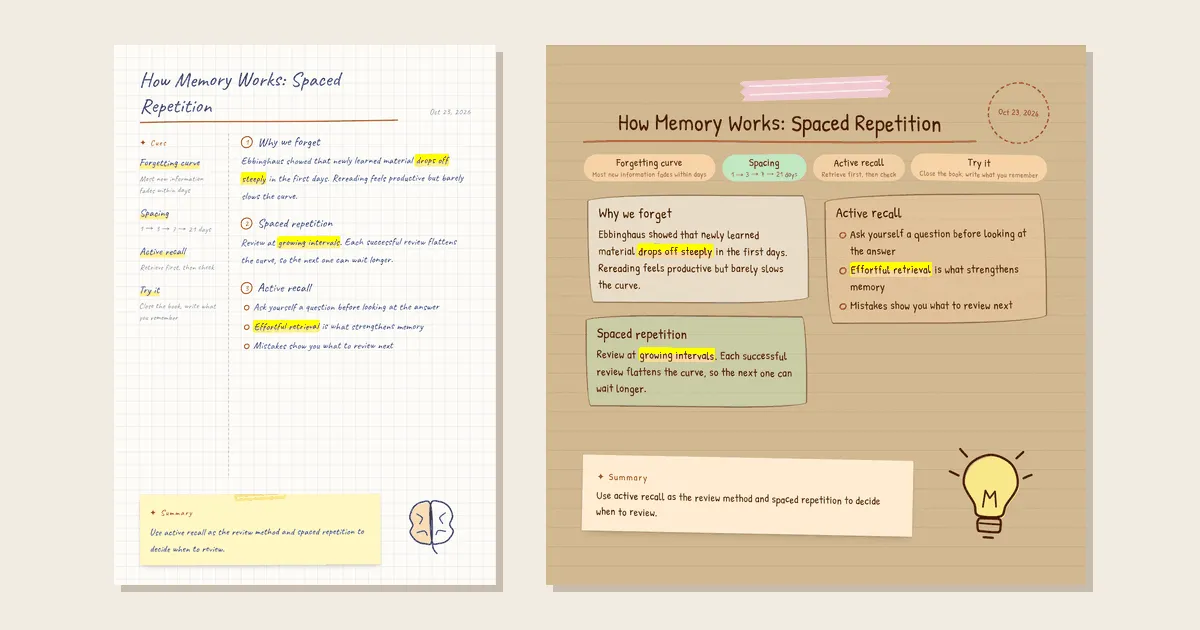
A good page of handwritten notes works differently. It has a title that says what the thing was about, a margin of cue words to quiz yourself with, a handful of highlighted phrases, and a summary at the bottom. Making one by hand takes a while.
InkScribe (墨语笔记) does that restructuring for you. Paste an article, a meeting transcript, a book excerpt, or some scattered thoughts, and it lays them out as one handwritten-style note page: Cornell structure, journal styling, Chinese or English handwriting, paper textures, highlighter marks, and small hand-drawn doodles. When the page looks right, you download it as an image, copy it to the clipboard, or share a link.
From Text to a Page in One Step
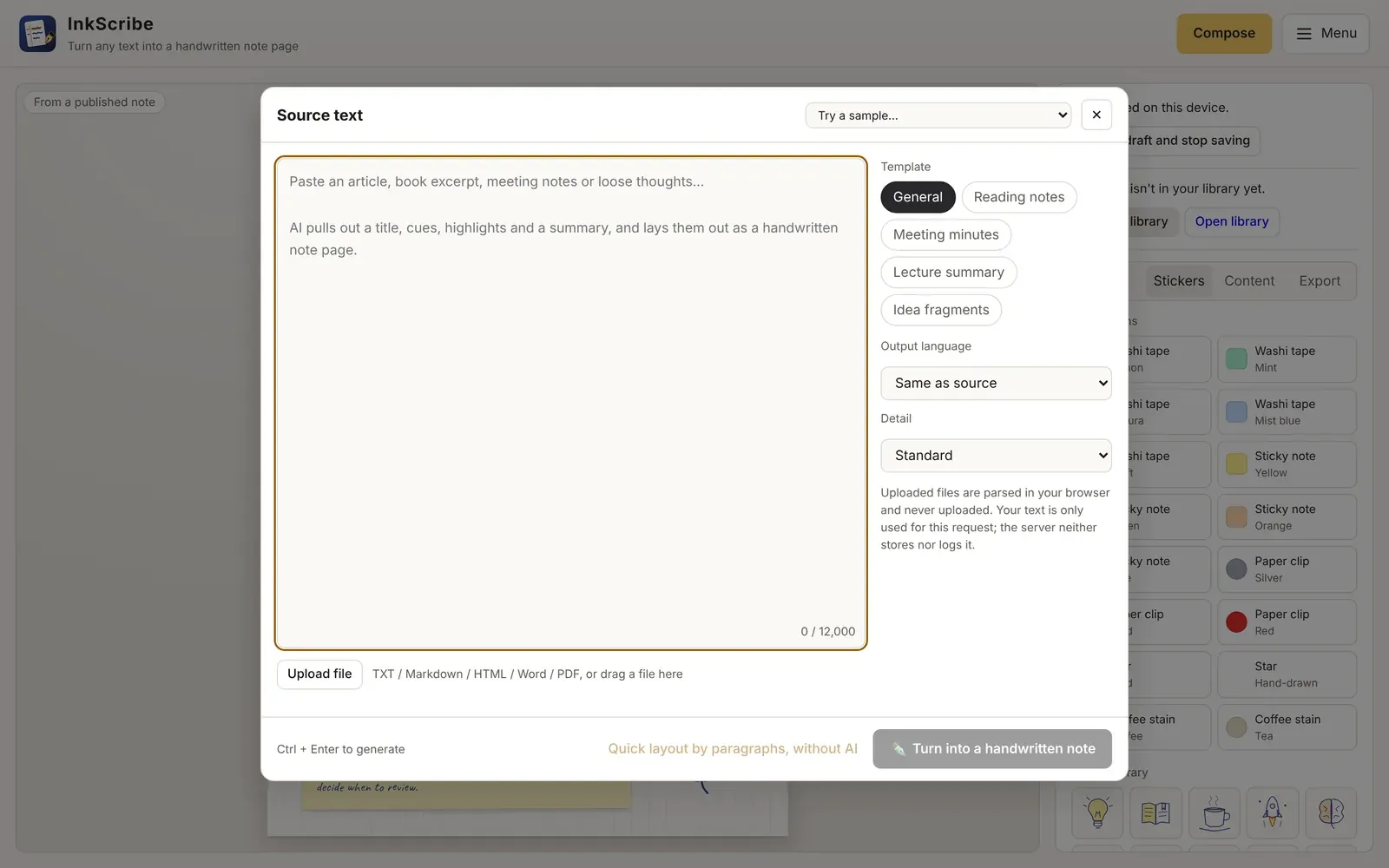
Click Compose, paste your text (up to 12,000 characters), and pick what kind of material it is:
- General, Reading notes, Meeting minutes, Lecture summary, or Idea fragments
- Output language: follow the source, Chinese, or English
- Detail: concise, standard, or detailed
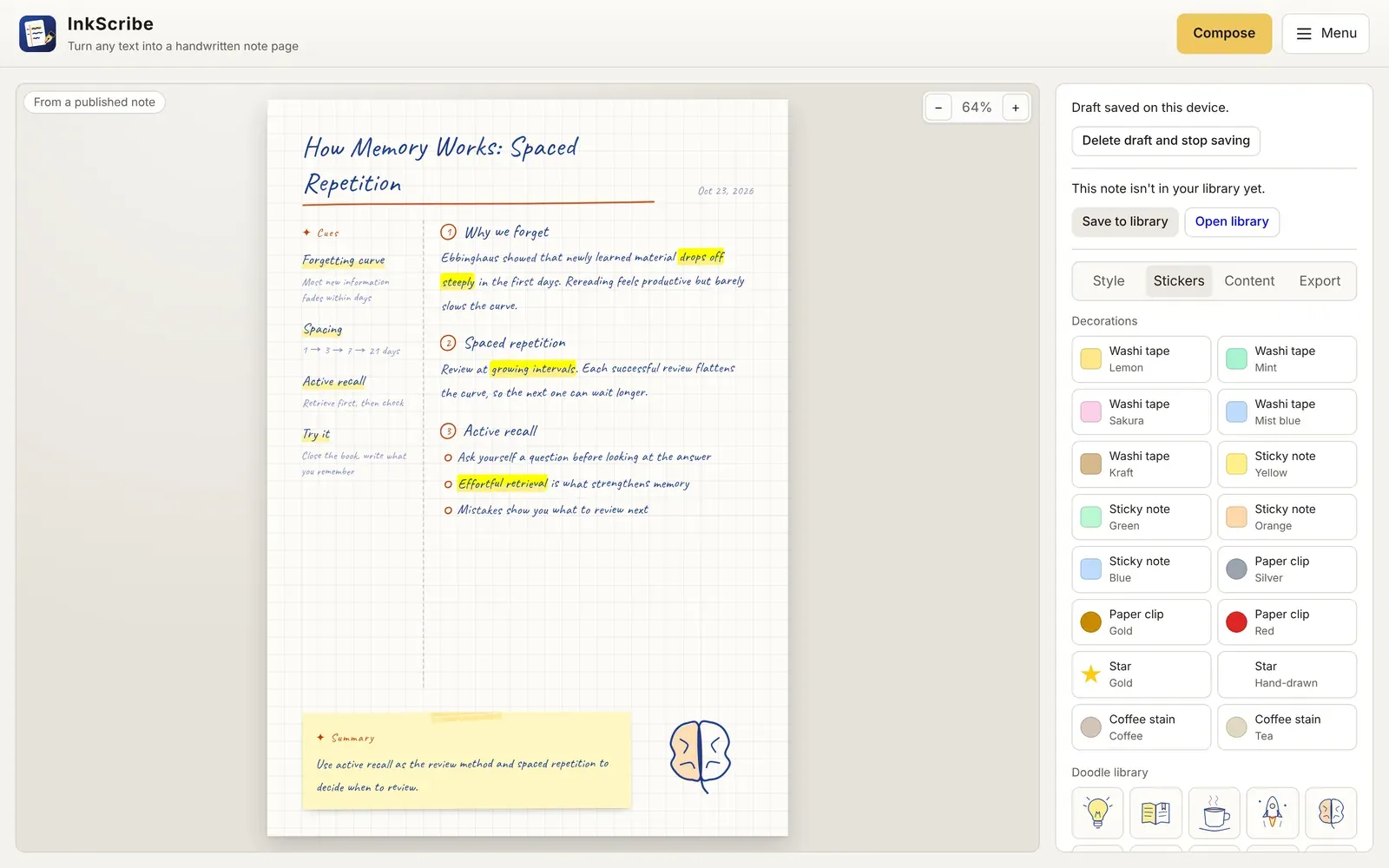
Press Turn into a handwritten note (or ⌘/Ctrl + Enter), and the AI returns a structured note: a title, a column of cues with short explanations, numbered sections, key phrases to highlight, a summary, and a suggested doodle. The dialog closes and the page takes over the screen.
You do not have to paste. Upload a file or drag it anywhere onto the editor: TXT and Markdown (with UTF-8, UTF-16, and GBK detection), HTML (scripts and navigation are stripped), Word .docx, and text-based PDFs. Files are parsed in your browser; only the extracted text is sent for structuring. If the text runs over the limit, one click trims it.
And if you would rather not use AI at all, Quick layout by paragraphs, without AI builds an extractive note from paragraphs and keywords on the spot.
The Structure Is the Point
The handwriting is the first thing people notice, but the structure is what makes the page useful. InkScribe asks the model for a strict, validated shape, not free-form prose:
- Cues go in the margin: a keyword plus a short note, so you can cover the right side and test yourself.
- Sections keep the body short and in order, with lists where lists make sense.
- Highlights must appear verbatim in the text. A phrase the model made up, or one that no longer exists after you edit the paragraph, is not drawn. Highlighter marks always point at real words on the page.
- A summary closes the page on a sticky note.
Everything stays editable in the Content tab: title, date, cues, sections, highlights, and summary, field by field.
Make It Look Like Your Notebook
The Style tab is where it starts to feel like your own notebook.
- Four layouts: Hybrid Cornell journal (cues on the left, notes in the middle, a sticky-note summary below), Classic Cornell, Free-form journal (a playful card collage), and Minimal.
- Seven papers: grid, lined, dot grid, ivory, textured, kraft, and vintage parchment.
- Page sizes: A4, 3:4, 1:1, or a long image that grows with the content.
- Handwriting: five Chinese fonts and four English ones—Kalam, Caveat, Patrick Hand, and Indie Flower—all under the SIL Open Font License, with size, line height, and letter spacing controls.
- Ink and highlighter: carbon black, fountain-pen blue, vintage brown, deep green, or bordeaux, with three highlighter colors.
Real handwriting is never perfectly straight, so InkScribe adds a little natural variation: each character sits slightly above or below the baseline, ink density varies, and paragraphs tilt by a fraction of a degree. You choose how much. The variation is seeded, so the preview and the exported image always match; Try another handwriting rolls a new seed.
Then the Stickers tab: washi tape, sticky notes, paper clips, stars, coffee stains, and 20 hand-drawn doodles. Drag, resize, rotate, layer, and nudge them with the keyboard.
A Page That Never Silently Cuts Your Text
Fitting arbitrary text onto a fixed page is harder than it looks, and the easy shortcut is to clip whatever does not fit. InkScribe never does that. Once the fonts have actually loaded, it measures the real rendered text. If it overflows, the default is to shrink the type within a readable range first, then extend the page into a long image so nothing is lost. If you would rather keep a fixed size, it tells you the page overflows and disables export, rather than handing you a “successful” image with the last paragraph missing.
Export is PNG or JPG at 1×, 2×, or 3×, or straight to the clipboard. Fonts are embedded in unicode-range slices, so a Chinese page does not drag in megabytes of glyphs it never uses.
Drafts and a Local Library
The editor keeps your current draft—source text, note, style, stickers, doodles—in IndexedDB on your own device, and restores it after a refresh. If you open the same draft in two tabs, saving pauses instead of letting one overwrite the other. You can also delete the draft and switch autosave off.
When a note is worth keeping, Save to library. The library at /library holds as many notes as you like, still only on your device, with search, reopen-and-edit, and JSON export and import for backups.
Built for AI Agents, Too
More and more reading and summarizing already happens inside an AI assistant. So InkScribe has a small publishing API that any agent can call without an account or API key. The agent does the summarizing in its own context, then sends the finished structure:
curl -X POST https://scribe.orangely.xyz/api/v1/notes \
  -H "Content-Type: application/json" \
  -d '{
        "schemaVersion": 1,
        "note": {
          "title": "How Memory Works: Spaced Repetition",
          "cues": [{ "keyword": "Spacing", "note": "1 → 3 → 7 → 21 days" }],
          "sections": [
            { "heading": "Spaced repetition",
              "content": "Review at growing intervals. Each successful review flattens the curve.",
              "highlights": ["growing intervals"] }
          ],
          "summary": "Use active recall to review, and spacing to decide when.",
          "doodleTheme": "brain"
        },
        "appearance": { "layout": "free-journal", "paper": "kraft", "enFont": "patrick-hand" }
      }'
The response is a link to a viewer page at /n/<id>, plus a manageToken for deleting it later. A few design choices matter here:
- No source text, no AI on the server. Publishing does not accept the original text at all, and it never calls a model. InkScribe validates and lays out exactly what the agent sent; it does not rewrite, truncate, or pad it.
- Strict validation with fixable errors. Missing fields, unknown fields, oversized content, invalid appearance values, or a highlight that does not occur in its paragraph return
422with a field path such asnote.sections[0].highlights[0]. Nothing is quietly trimmed and published anyway. There is also a/api/v1/notes/validateendpoint to dry-run a payload first. - Unlisted by default, with limits. Keyless notes are always unlisted (visible to anyone with the link, marked
noindex, and kept out of the gallery), and publishing is rate-limited per IP with daily caps.
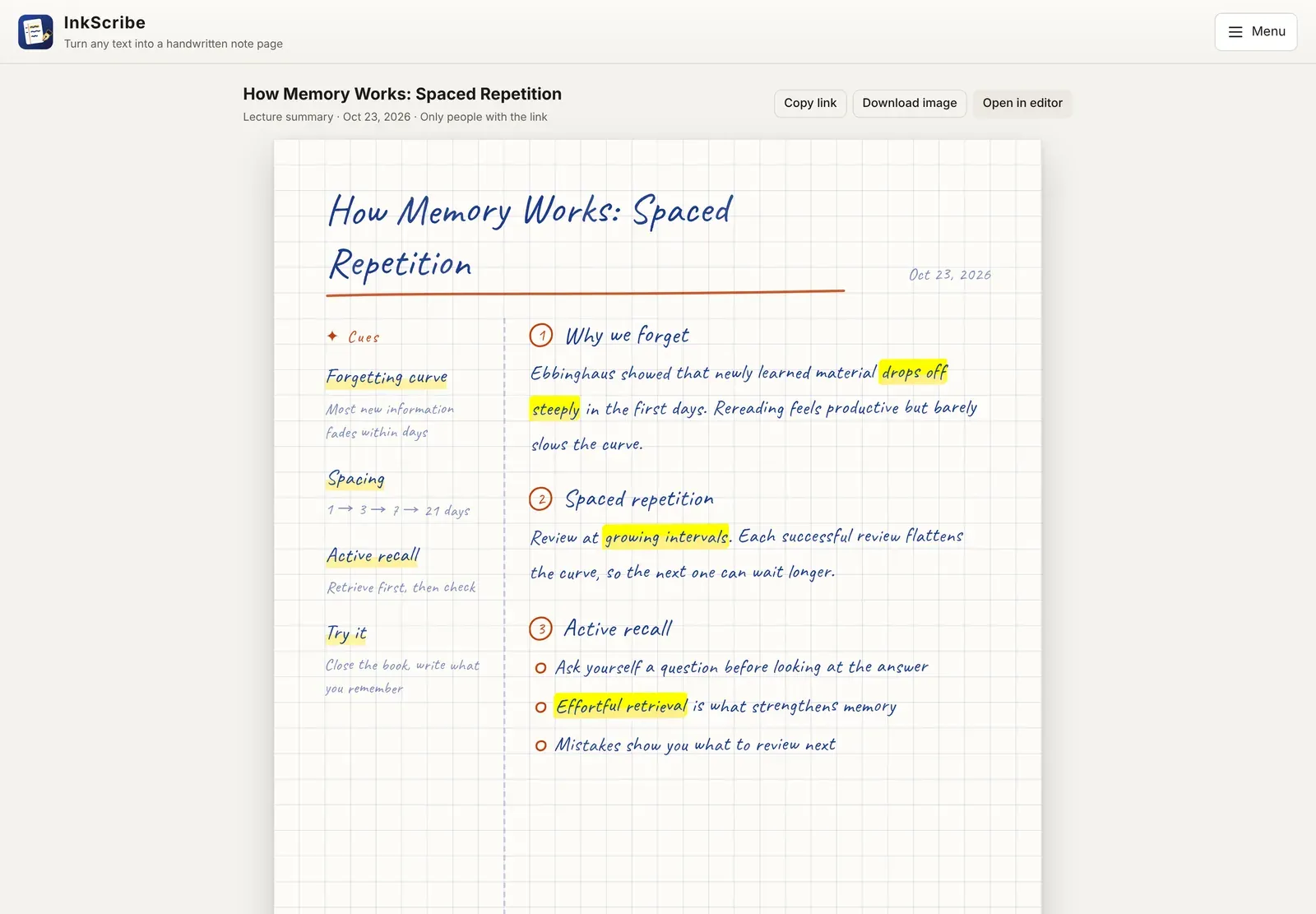
Whoever opens the link sees the page rendered in their browser, can download the image, or can open it in the editor to keep tweaking the layout, paper, or stickers. The guide, llms.txt, and an OpenAPI description spell out the contract for agents, with copyable JSON and curl examples.
Privacy and How It Is Built
The browser never talks to a model directly and never holds credentials. When you ask the AI to structure text, the Worker does not store your source text or the model output, and its logs record only metadata such as lengths, timings, and error codes. Uploaded files never leave the browser. Model output is normalized before it reaches the page: only contract fields survive, HTML and control characters are stripped, and doodles are limited to a small set of drawing primitives rendered by a local generator, never raw SVG from a model. The privacy policy covers the details in both Chinese and English.
Under the hood, InkScribe is a Vite + React + TypeScript front end that does all the layout, handwriting rendering, and image export in the browser, and a single Cloudflare Worker that serves the site and the API. Structuring runs on Cloudflare Workers AI through a binding, with the model ID and call parameters in configuration rather than code. Published notes live in D1. The interface is available in Chinese and English, with light, dark, and system themes.
Try It
InkScribe is free to use. The editor opens with a sample note already on the page, so the fastest way to get a feel for it is to switch layouts and papers in the Style tab and watch the same content change shape. Then click Compose, paste something you read this week, and see what the page makes of it.